Method
How the mouse sensitivity converter works
The converter does not guess. It uses each game’s hipfire yaw — degrees of view rotation per mouse count at sensitivity 1 — and solves for the target slider that keeps the same physical 360.
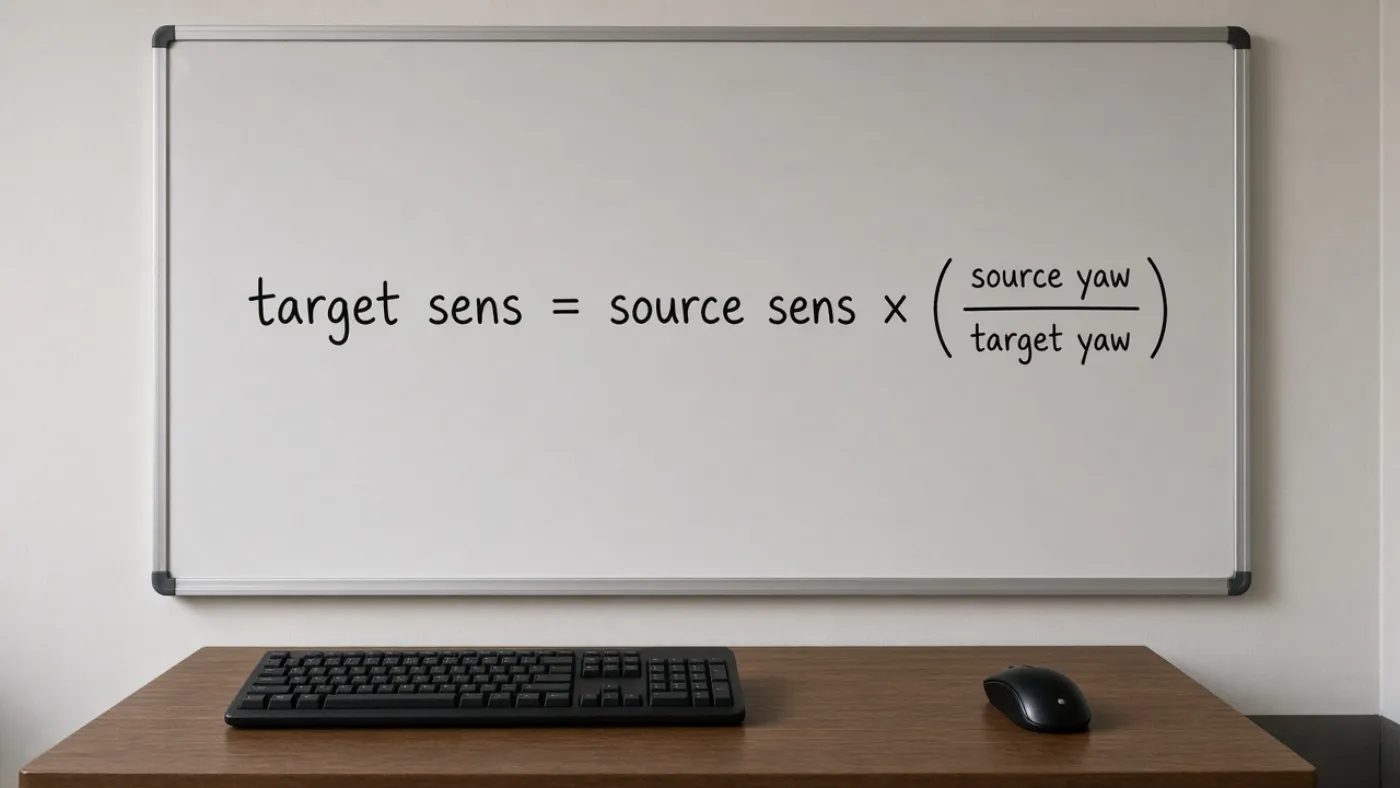
The two formulas
| What you want | Formula |
|---|---|
| Target sensitivity | (source DPI × source sens × source yaw) ÷ (target DPI × target yaw) |
| cm/360 | (360 × 2.54) ÷ (DPI × sensitivity × yaw) |
| inches/360 | cm/360 ÷ 2.54 |
| eDPI | DPI × in-game sensitivity (same game only) |
Worked example
CS2 1.00 at 800 DPI to Valorant, same DPI. Target = (800 × 1.00 × 0.022) ÷ (800 × 0.07) = 0.314. Both setups travel about 51.95 cm for a full spin. That is the number to paste, then confirm on the pad.
Microsoft documents that Enhance pointer precision applies acceleration to the pointer. Games that honor raw input skip that path. Read Microsoft’s pointer documentation and then our Windows pointer speed guide.
Microsoft: mouse settings in Windows
What we refuse to pretend
- ADS, scopes, and hero zoom are not hipfire. See hipfire vs ADS.
- FOV can make a matched 360 feel faster or slower. See FOV and feel.
- Rust, PUBG, and Battlefield 2042 are marked verify-in-game because patches have moved scaling.
Use the converter or browse supported games.